1. How do I top up?
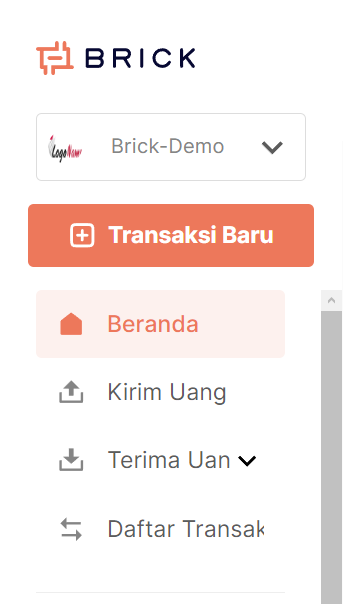
Go to Dashboard and log in to your account.

Select the "Top Balance" option in the main menu.
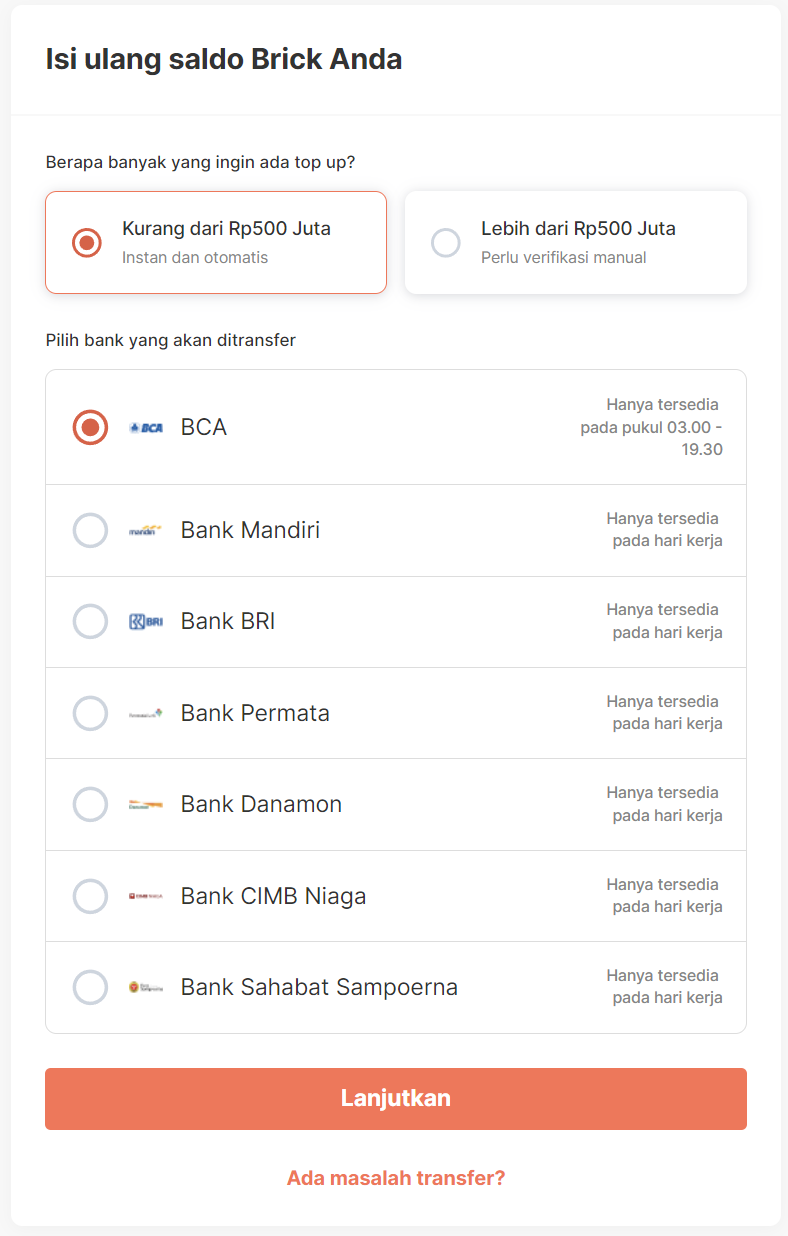
2 tabs will appear for the nominal balance, namely <500 million & >500 million.
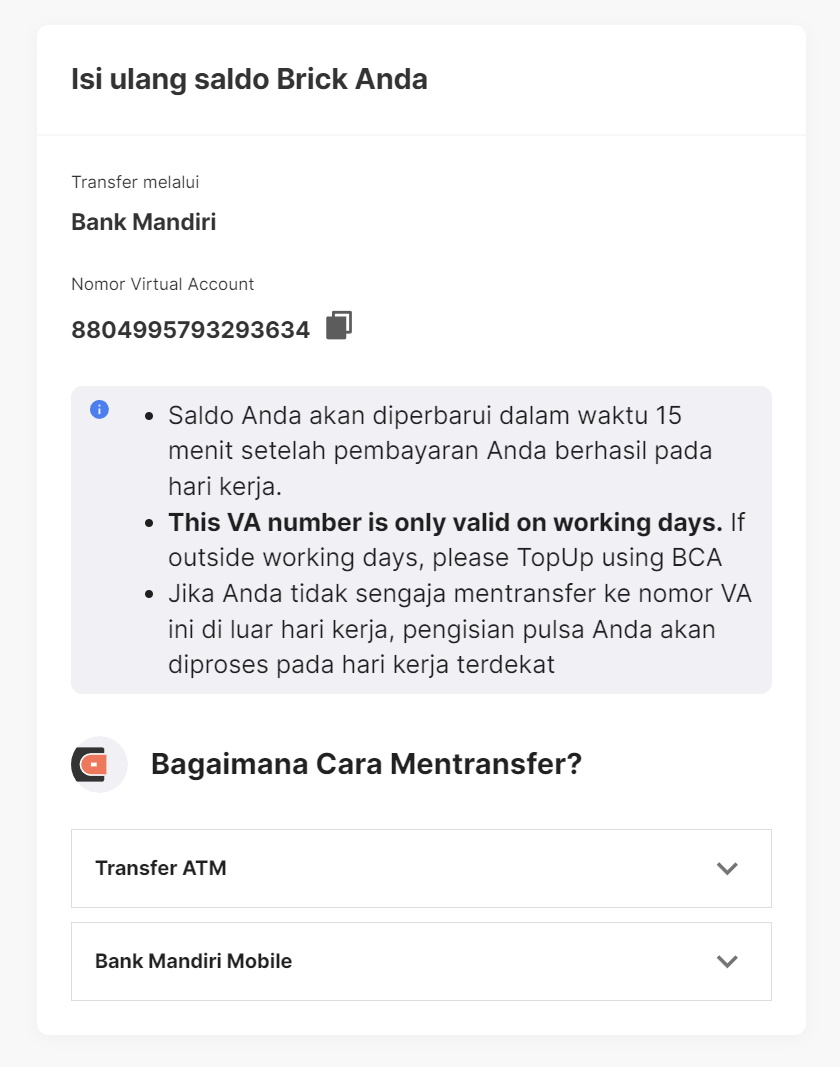
For nominal amounts under 500 million, you will have several top-up options, including through Mandiri, BRI, Permata, CIMB Niaga, Danamon and BSS banks using a Virtual Account.
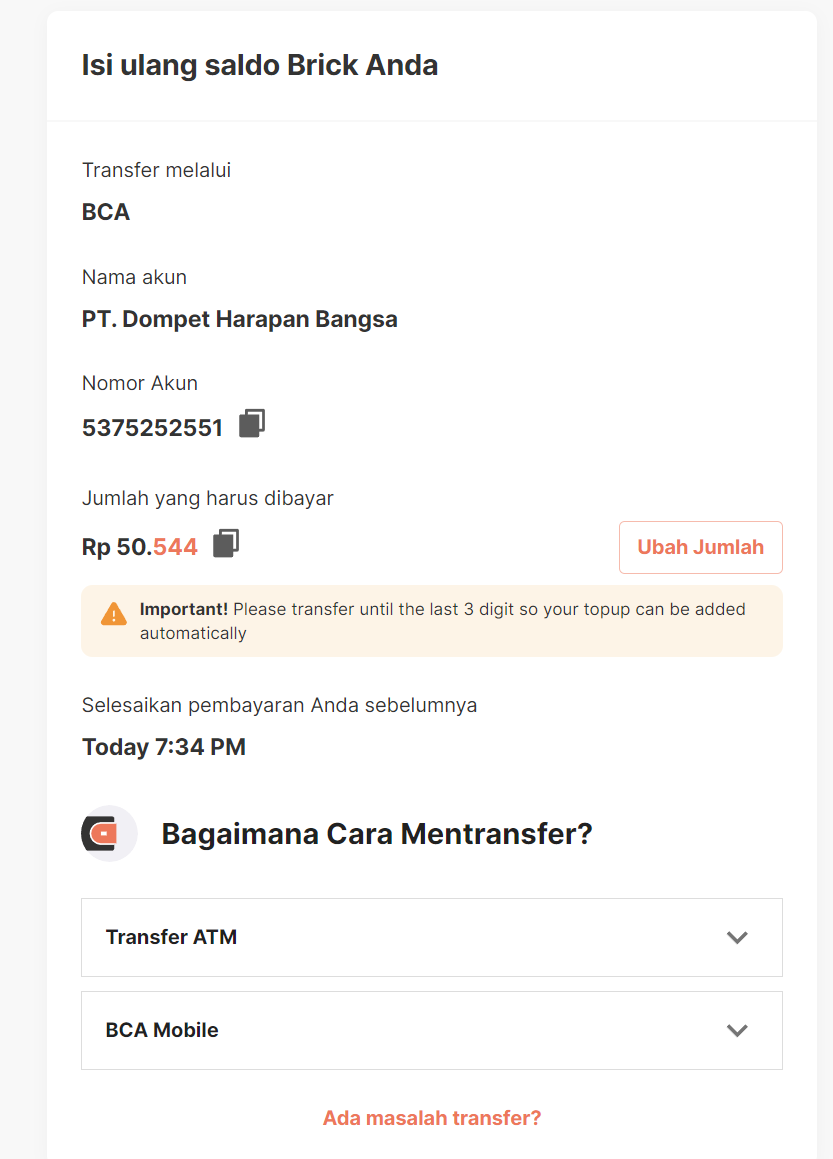
Apart from that, BCA can be used by making a manual transfer to the Brick account number, with 3 unique codes in the last 3 digits of the nominal amount.
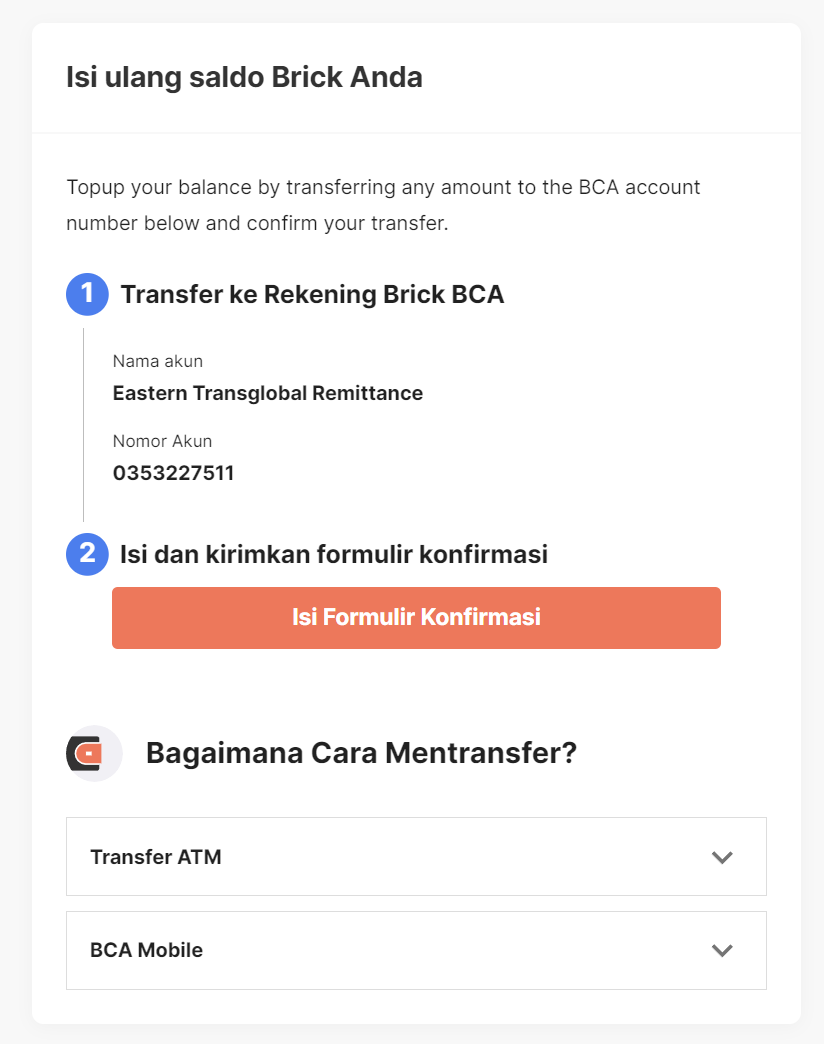
For nominal amounts above 500 million, you will be referred to use a manual transfer via BCA to a BCA Brick account.
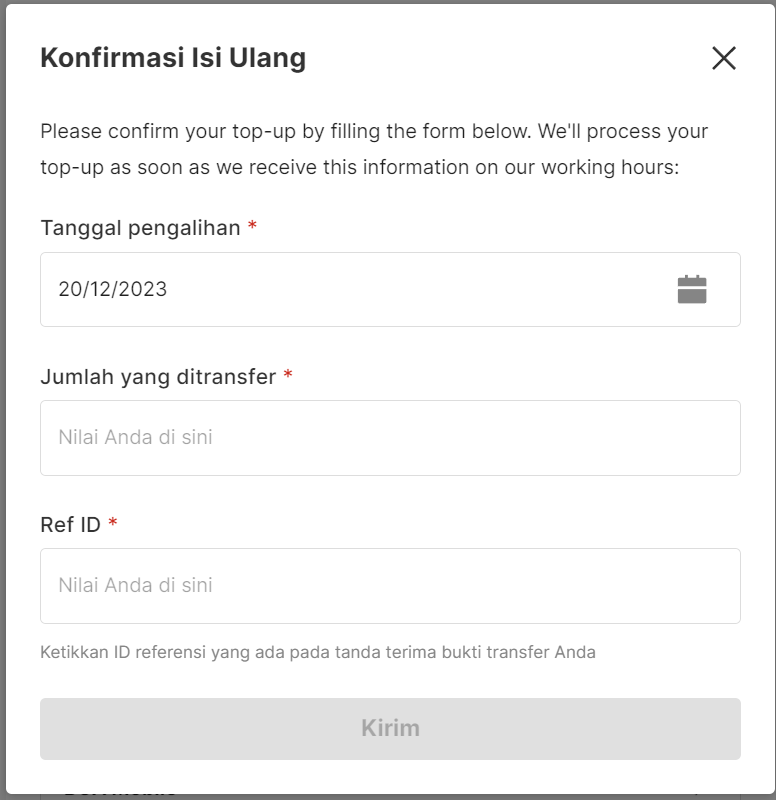
Select "Fill in the Confirmation form" and fill in the data required to complete the balance top-up process.
2. How long is the SLA process for top up?
- Manual Top-up
- Working Days: 08:00 - 18:00 WIB
- Weekend: 08:00 - 15:00 WIB
- Virtual Account Top-up - WD+1