1. How to create a new sub-account
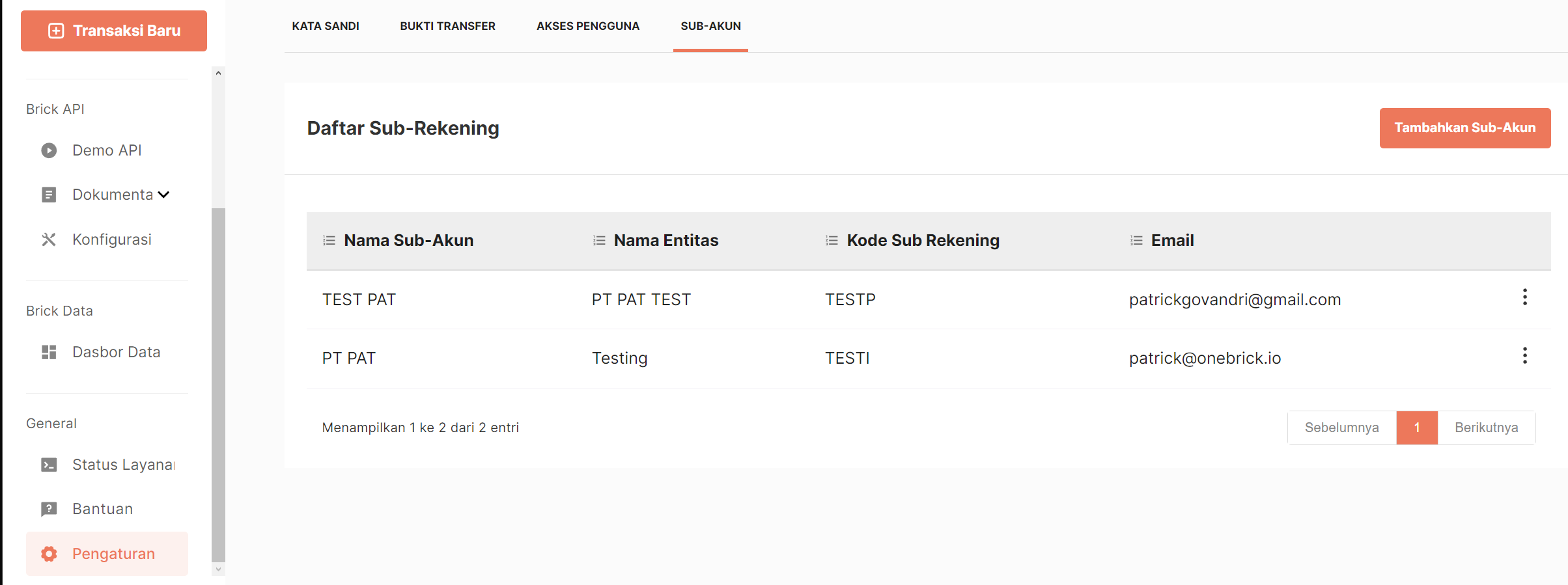
To start creating a new sub account, go to the Settings page in the Dashboard and select the Sub-Accounts tab.
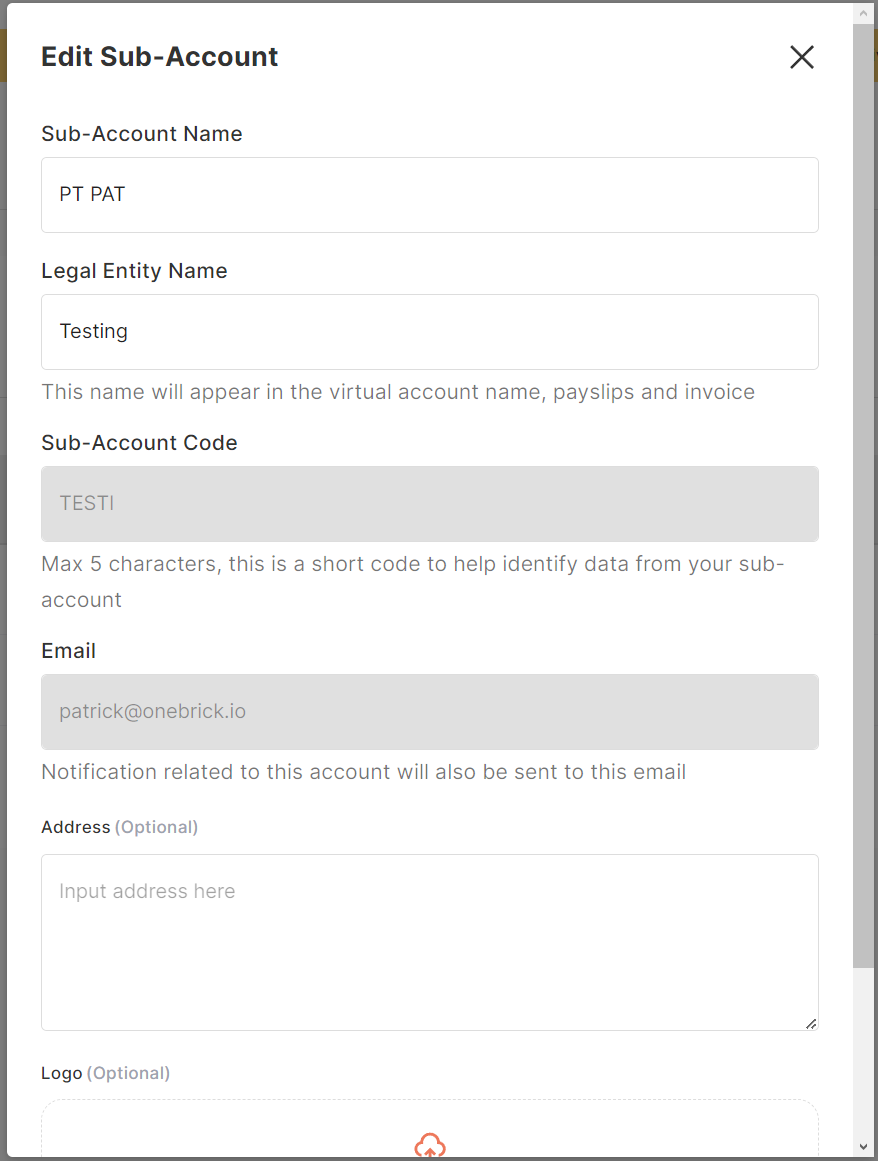
Click Add Sub-Account and fill in the required data when this popup appears.
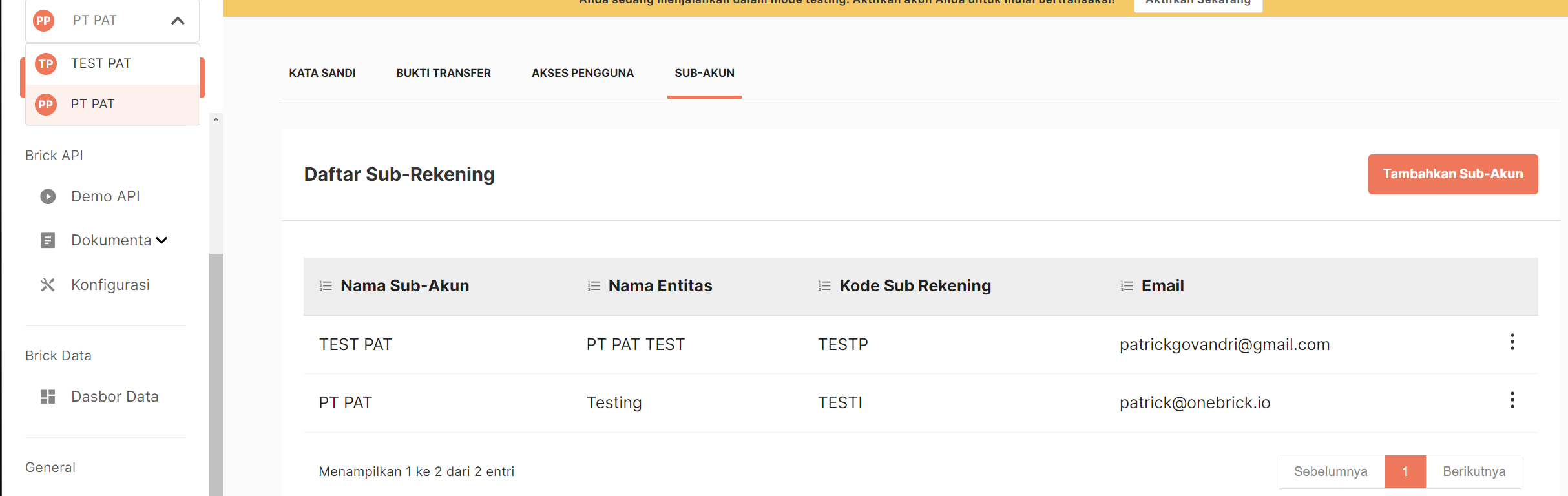
After creating a sub account, you can switch between the main account and other sub accounts easily using the dropdown list at the top left of the Dashboard.
2. How is data organized in sub-accounts?
Each sub-account maintains data separately — including balance, topup number, data history, and API credentials.
3. What is the relationship between sub-accounts?
Sub-accounts are displayed as independent entities. For example, when in the Primary Account, the data displayed is only related to the Primary Account. Likewise, switching to a sub-account, such as "Company A," only provides access to the data associated with that sub-account.
4. Who has access to sub-accounts?
All login roles have the ability to access all sub-accounts. This means that membership in a Brick account provides comprehensive access to all associated sub-accounts.
5. Where can the sub-account feature be accessed?
Currently, the sub-account feature is only accessible via the dashboard, offering a centralized and efficient platform for managing sub-accounts.
6. Why use the sub-account feature?
Client Data Management
If you manage client data (for example: payroll services, agencies, rental companies). You can keep each customer's data separate for easy tracking and individual reports.
Management of Multiple Entities
Sub-accounts allow you to set customized details for each entity in a single login, simplifying management for businesses with multiple entities.