Regular Disbursement
How to view the Brick Disbursement demo?

There are two types of demos that Brick provides;
- Data Products
- Personal Financial Management
- P2P Lending
- Payment Products
- Payroll
- Withdrawal
- VA Payment
Payments focus on use-cases that can be used using Bulk Disbursement. For steps to carry out Bulk Disbursement and other payments initiated via Dashboard, please see our technical documentation below https://technical-docs.onebrick.io/docs/payment-out-via-dashboard .
For a demo using the API, please contact our Sales team on the following website page https://www.onebrick.io/contact-us .
Can I validate my E-Wallet account number (Gopay, OVO, Dana, etc.)?
You can't. Currently, payments to E-Wallet can only be made via API and go through the account validation process.
Can I get the transfer proof after a successful disbursement?
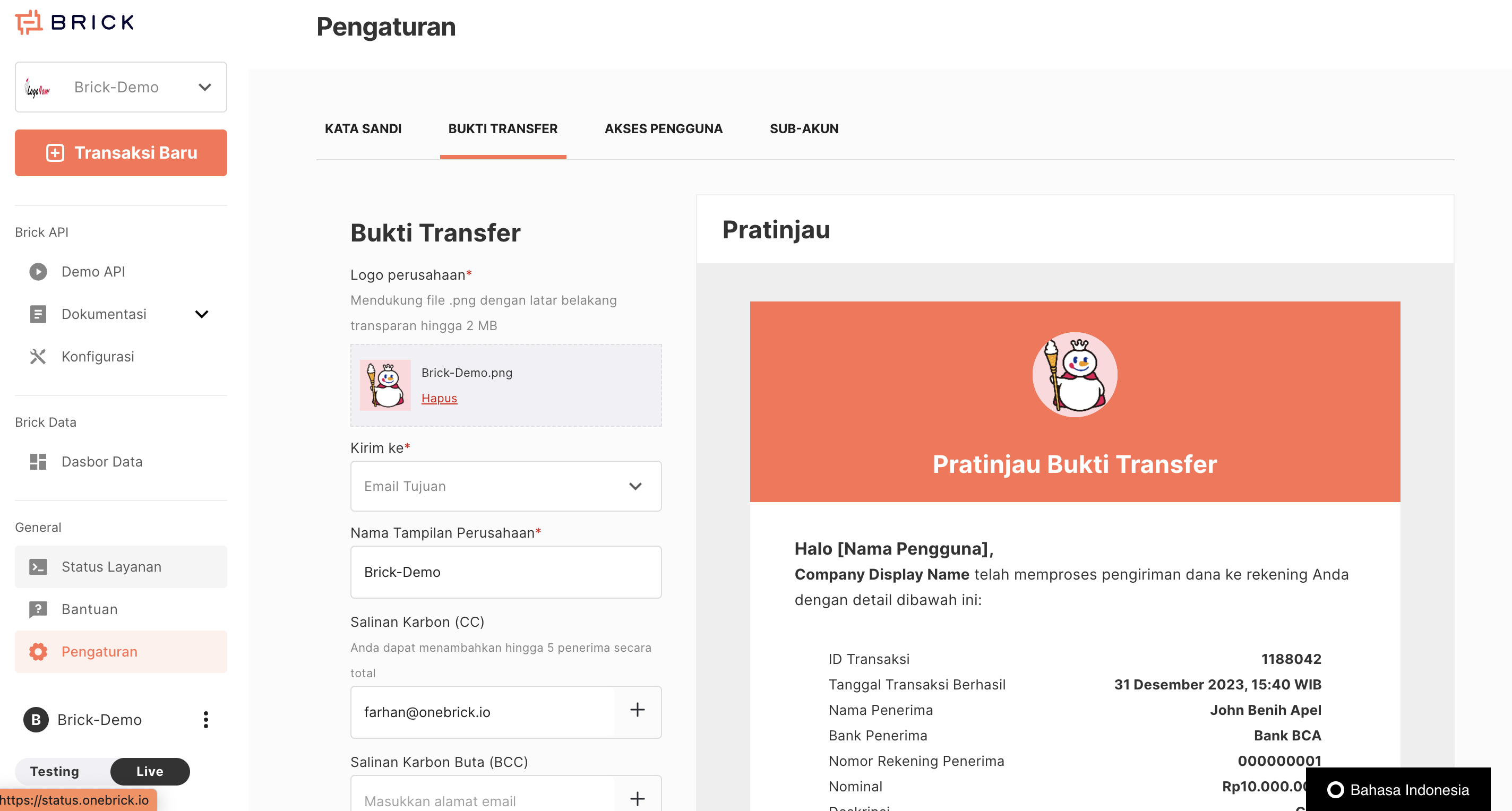
Yes, you can. On the main page, you can go to the left menu, you can select the "Settings" menu and go to the "Transfer Proof" tab.
Data that must be filled in to activate Transfer Proof:
- Company logo → You must upload a logo from your company with a maximum file size of 2 MB.
- Send To → There are two options
- Email Recipient: Proof of transfer will be sent to the recipient email provided in the Excel file when initiating Bulk Disbursement.
- Registered account: Proof of transfer will be sent to the email used to register at Brick.
How long does the SLA process take to send money?
The process of sending money will take place in real time. However, if a transaction is stuck in processing status due to interference from the recipient bank or Brick provider, the final status will change to a maximum of WD+4 after the transaction is made.
The status of the transaction will change to "Completed", where it has been sent to the recipient's account, or "Failed" where the funds will be returned to your BrickPay Balance.
Can I transfer to a VA account number?
Yes, but only to a few destination banks. Are as follows;
- Transfer to Mandiri account VA number
- Transfer to BRI account VA number
It should be noted that the success percentage of sending money to a VA number really depends on whether the VA number is active or not.